

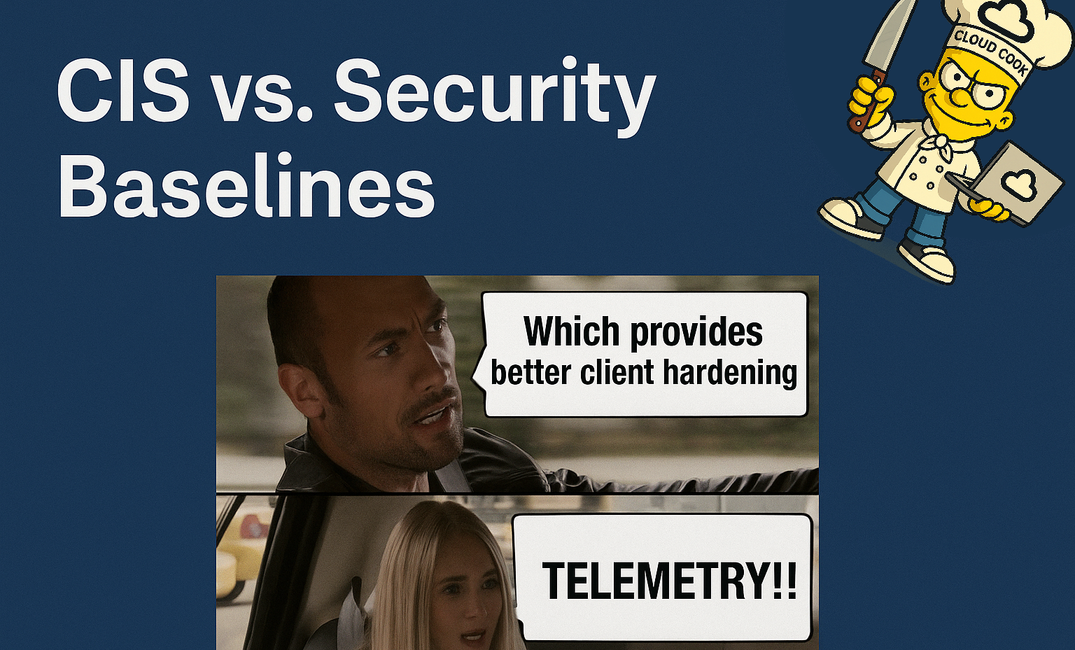
Alright fellow workplace ninjas, check in. It’s time to expand our Security Baseline vs. CIS saga with facts and examples, and yes… the infamous 1100-page PDF that haunts every IT security admin's dreams.
If the first post was an appetizer, this is the all-you-can-eat buffet with extra Group Policy gravy. Let’s go deeper — deeper than your audit logs go.
🗂️ What the Heck is in These Baselines Anyway?
Let’s zoom in on actual examples to see how CIS and Microsoft’s Security Baselines treat your endpoints. We're not here for vague terms like “hardening” — we want checkbox-level rage.
Client hardening is about more than just making your security auditor slightly less angry during review season. It’s about reducing your attack surface without nuking usability — which is exactly where both frameworks shine in different ways.
Think of it like this:
- Microsoft Security Baselines are your "quick marinated weeknight recipe". Fast to prepare, works for most users, built for the Microsoft kitchen.
- CIS Benchmarks are your "grandma’s 12-hour roast". Complex, detailed, high-maintenance — but delivers maximum flavor (aka, security).
💡 Why You Can’t Just Pick One:
- MS Baselines are too soft for regulatory-heavy environments.
- CIS Benchmarks are too harsh for modern productivity and cloud-centric workflows — unless you cherry-pick.
So you combine both, tune them per device role, and walk that tightrope between secure and usable without falling into the pit of “Why doesn’t OneDrive launch anymore?” support tickets.
🧂 The TL;DR Starter Course
| Framework | Microsoft Security Baseline (MSB) | CIS Benchmarks |
|---|---|---|
| Flavor | Microsoft’s “we got you, bro” settings for M365 | Hardcore, cross-platform, audit-ready masochism |
| Goal | Quick & balanced hardening | Maximum hardening, audit-grade security |
| Target audience | M365 environments (esp. Intune users) | Regulated industries, audit freaks, and masochists |
| Updates | Sync with product releases | Depends on CIS community (delay risk) |
| Effort to implement | Low-ish (click, deploy, adjust) | Medium to high (manual config, testing, rage) |
| Tools | Intune, Settings Catalog | Manual import or 3rd party tools |
| UX impact | Balanced (keeps user sanity in mind) | Can break things harder than your last printer deployment |
🏎️A comparison
The glorious Sandy Zeng created the IntuneDiff a while ago, where you can easily compare Intune Policies with another.
So i compared the basic Microsoft Security Baseline to the CIS Settings.
Be aware that it may look like lots is missing, but since Settings are done in a different way in one or the other policy.
🥩 What Is a Microsoft Security Baseline?
Picture this: You’re new to Intune. You just want your endpoints not to look like a haunted forest from a CTF challenge.
Enter the Microsoft Security Baseline:
📦 “A Microsoft-approved set of hardened settings for their own products — optimized for cloud management and usability.”
🔍 Key Facts:
- Comes from Microsoft directly (yes, even the one who thought Clippy was a good idea).
- Covers core platforms: Windows, Edge, Office, Defender.
- Updated with each product release (e.g. 23H2, 24H2, etc.).
- Can be deployed via Intune with just a few clicks — Settings Catalog ready.
- Designed to be a starting point, not the final boss.
🤝 Ideal for:
- Internal environments
- Microsoft 365 tenants
- Fast rollout with low overhead
- Organizations without strict compliance frameworks
🧂 Think of it as a "secure by default" booster pack for cloud-first orgs.
The OG Microsoft Security Baseline split up from this:

into this:

🔥 WTF Is CIS?
“CIS Level 2” is what you get when someone decides “CIS Level 1” isn’t paranoid enough.
The Center for Internet Security (CIS) doesn’t mess around. These are the folks who believe your printer port is probably a national security threat.
🔐 “A globally recognized set of best practices and settings for securing operating systems and software — often required for compliance and regulatory purposes.”
🔍 Key Facts:
- Maintained by the Center for Internet Security (CIS) — an independent non-profit.
- Covers Windows, Linux, macOS, network devices, and more.
- Two levels:
- Level 1 – Recommended minimums: safe and sane.
- Level 2 – Lockdown mode: “nothing works, but we’re 100% compliant!”
- Offers over 1100 pages of justification, audit checks, remediation logic.
- Mapped to regulations like ISO 27001, NIST 800-53, SOC 2, etc.
🤝 Ideal for:
- Regulated industries (Finance, Healthcare, Government)
- Environments with auditors
- Security-first postures
- Air-gapped / semi-isolated networks
📚 It’s the encyclopedia of system hardening — but don’t expect it to care about user experience.
CIS Baselines in Intune:

🎮The Clash of Clans between them
🔐 LSASS Protection (Credential Guard)
| Setting | MS Baseline | CIS |
|---|---|---|
| Credential Guard | Enabled on supported devices | Mandatory on all |
| LSA Protection | Enabled if compatible | Required, enforced via registry |
⚠️ Impact: Some legacy VPNs and authentication plugins get real cranky with LSA hardening.
📎 Office Macro Policies
| Setting | MS Baseline | CIS |
|---|---|---|
| Macros from Internet | Warn | Block completely (Level 2) |
| VBA Signed | Optional | Required |
| Trusted Locations | Allowed | Disabled unless fully managed |
⚠️ Impact: Say goodbye to Excel sheets from Samuel in Finance unless you’re whitelisting trusted paths.
🛰️ The Great Telemetry Debate: CIS vs Microsoft Security Baseline
Ah yes — telemetry. The corporate word for “sending anonymous usage data to help us improve the product” — and the paranoid’s word for “spying.”
Let’s be honest:
- Microsoft wants telemetry to keep Defender smart, keep Intune updates flowing, and make Windows not forget how to boot.
- CIS wants telemetry to be turned off so hard your endpoints forget what a network is.
🔬 Let’s Compare
| Setting | Microsoft Security Baseline | CIS Benchmark |
|---|---|---|
| Windows Telemetry Level | Set to Basic or Required depending on version | Set to 0 (Security Only) — the lowest possible |
| Microsoft Compatibility Telemetry | Enabled | Disabled |
| Commercial ID (for Update Compliance) | Supported | Often stripped or blocked |
| Cloud Diagnostic Services | Partial (allows update & Defender signals) | Disabled |
🧠 Why Does It Matter?
- MS Baseline keeps Defender for Endpoint, Intune health, and Update Compliance dashboards functional.
- CIS Level 1/2 drops telemetry so low that:
- Defender cloud protection can go silent.
- Intune stops reporting meaningful device analytics.
- MDE throws tantrums.
- Update health signals go missing.
📊 Number of Settings Breakdown
Let’s look at the numbers:
- CIS Level 1: ~338 settings
- CIS Level 2: ~85 extra (on top of Level 1)
- Microsoft Security Baseline (21H2–24H2): ~490 settings across categories (Defender, BitLocker, Account Policies, etc.)
🤕 Fun Fact: They overlap on a lot, but use different default values, so you’ll still have conflicts even if both want the same thing.
📚 The 1100-Page CIS Beast (aka: The "War and Peace" of Security PDFs)
Yes, it’s real.
Yes, it’s terrifying.
Yes, your intern should not be the one implementing it.
The CIS Benchmark for Windows 11 (or Windows 10) is a PDF series that spans over 1,100 pages of line-by-line Intune and registry wisdom.
Each setting includes:JustificationImplementation stepsAudit checksExpected valuesRemediation commandsPossible Breaks
It’s split into:
- Level 1: Reasonably safe. Grandma can still use the PC.
- Level 2: Borderline psychotic. Expect to break some apps.
- BL: Just your usual Bitlocker stuff.
💡 Pro Tip: Nobody applies all of them manually. Use tools like:
- Intune Settings Catalog (mapped)
🍳 Where They Meet – And Where They Throw Punches
Let’s get to the fun part: alignment, collisions, and “oh god what just broke.”
✅ Where They Agree (peace treaty moments):
- BitLocker ON 🔐
- TPM + Secure Boot required
- SmartScreen enabled
- Windows Defender enabled + cloud-delivered protection
- Firewall ON and logging properly
- Credential Guard / LSA protection active
- RDP hardened (NLA, lockout, auditing)
Basically, they both agree that leaving RDP wide open is the modern-day equivalent of taping your admin password to the monitor.
⚔️ Where They Brawl:
| Topic | Microsoft Baseline | CIS | Reality |
|---|---|---|---|
| UAC | “High but tolerable” | “MAXIMUM NAGGING” | CIS breaks scripted installs & your soul |
| Browser/Store | Keeps Edge & Store usable | Disables features like it’s 1999 | Expect broken Store apps |
| Telemetry | Just enough for Defender & Update to work | Shuts it all down | CIS breaks analytics, MDE, Intune |
| Macros (Office) | Loosely handled | Blocks everything from the Internet | Say goodbye to legacy VBA |
💥 Real-Life Horror Story: CIS Level 2 Gone Wrong
We rolled out CIS Level 2 to 800 clients.
What could possibly go wrong, right?
Answer: EVERYTHING.
- OneDrive Sync — 💥 Gone
- Edge downloads — 💥 Blocked
- USB drives — 💥 Invisible
- Autopilot — 💥 Broken
- Accidentally filtered AVD configs — 💥 Because why not
- Admin auto-login — 💥 Nope
Basically, the CIS Level 2 client was more secure than Fort Knox — because nothing could get in. Not even productivity.
🧠 So… Which Should You Pick?
🏛 Compliance-Hungry Environments (Finance, Healthcare):
- 🏆 Go for CIS Benchmarks (Lvl 1 + 2)
- Prepare for: longer rollout, user anger, but audit wins
🛡 Cloud-Native Microsoft 365 Tenant:
- 🏆 Start with Security Baseline via Intune
- Easy rollout, faster updates, lower risk
🍸 Balanced Martini of Both:
- Combine both... BUT consolidate the policies.
- Don’t duplicate settings across profiles.
- Use a test tenant or ring-based deployment strategy:
Pilot→Test Group→Gradual Rollout→Fix What Breaks™→Profit
🍽️ Cloudcook's Recipe for Not Screwing Up
Here’s your 4-course rollout menu:
Use for every Upload action the tool from Micke:
https://github.com/Micke-K/IntuneManagement
- Upload Microsoft Security Baselines to Tenant
- You can find the policies here already split up: https://github.com/CLOUDCOOKCH/Cloudcooks-M365Cooking/tree/main/Security%20Baseline
- Overlay CIS Benchmarks (carefully)
- Merge them into the just uploaded Microsoft Security Baselines
- From CIS site: https://learn.cisecurity.org/benchmarks
- From my Github Repo: https://github.com/CLOUDCOOKCH/Cloudcooks-M365Cooking/tree/main/CIS%20Benchmarks
- Merge them into the just uploaded Microsoft Security Baselines
- Consolidate + Remove Conflicts
- One profile to rule them all — don’t double-configure!
- Test. Test Again. Then Deploy to Prod
- Because nothing screams “Monday” like 300 support tickets about a disabled C: drive or Ondrive Sync Errors

🍰 Final Thoughts
In the end, CIS and Microsoft Baselines are not enemies — they’re two different dishes for two different palates.
- Want audit-ready, military-grade hardening? Go CIS.
- Want smart defaults that don’t destroy UX? Stick with the Microsoft Baselines.
- Want both? Welcome to the wonderful world of pain, testing, and endless PolicySet debates.
Presentation from the Workplace Ninaja Summit
